A new space for managing notifications
Dealer admins were frustrated managing notifications one location at a time. We gave them the power to do more.
- scale
- 50 × 18
- locations by email types
my part
the only designer; started in Figma and built the working prototype in Claude Designcrit with the wider design team; shipped with product, engineering and the businessprototype
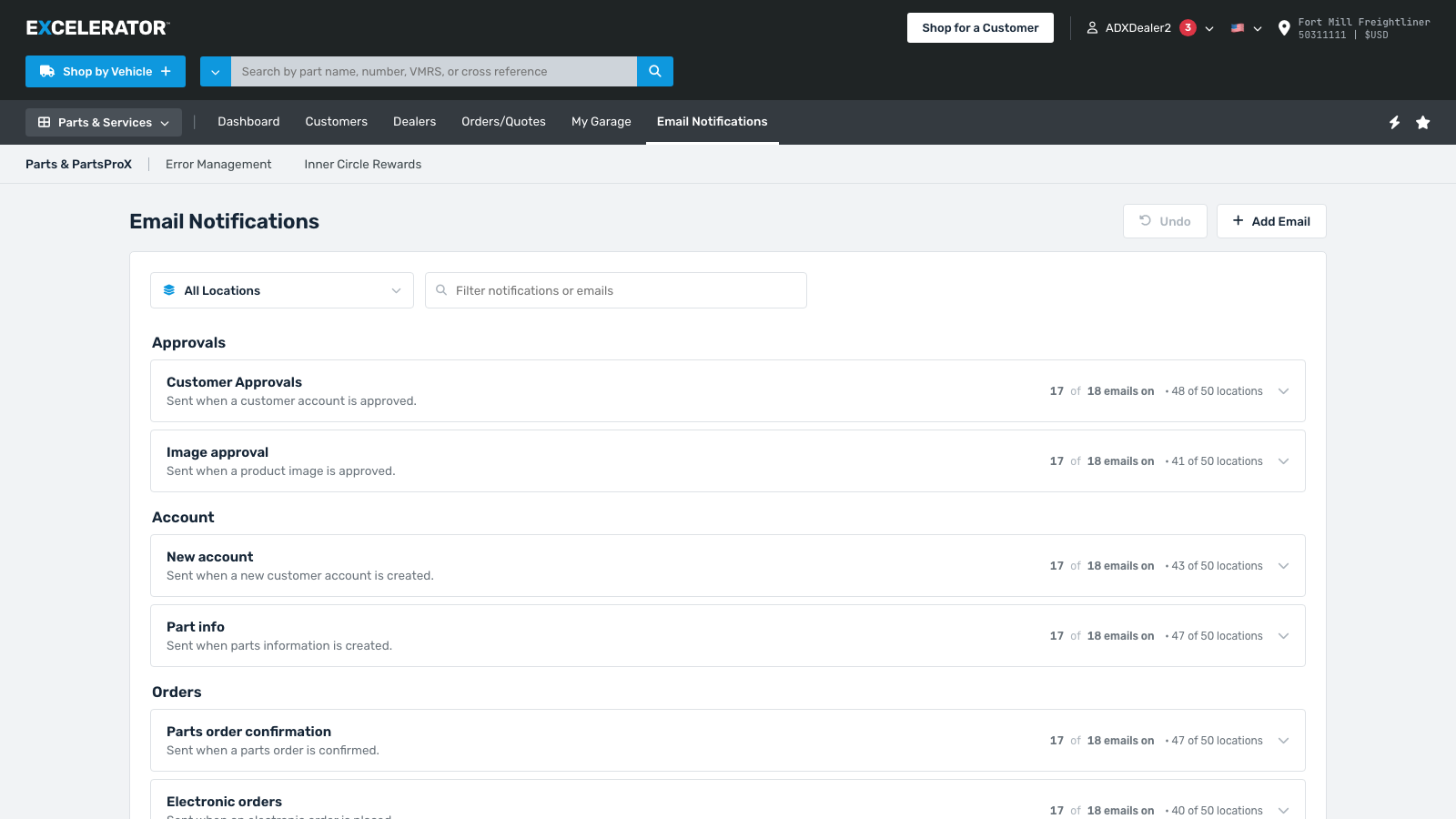
A dealer group on our platform can be one store or fifty. The platform also sends a lot of email: account approvals, order confirmations, PO updates, quote submissions and failure alerts. That’s 18 types of notification, and any location might want some and not others.
They were managing that one location and one inbox at a time. 50 stores and 18 switches is 900 decisions, with no way to see them all at once or make changes across the board.
Manage it by email type
The prototype flips it around. You manage by notification type, and each row shows its coverage at a glance, like “17 of 18 emails on · 48 of 50 locations.” I did this because the number of notification types is fixed and something we have control over. Everything else could vary dealer to dealer so it made sense to keep that as the foundation. Choosing which locations get an email happens right in the row, in a selector built for fifty locations instead of five.
Those counts do most of the work. Checking whether everything is set up right goes from an audit to a glance, because any row that isn’t fully on says so before you open it.
Why I built it instead of mocking it
A static mock wasn’t complex enough to show all the new capability. It can’t show how fast the selector is, how undo works, or how all the data interacts with each other.