Loops for iOS
A notebook for problems you need to think through. No AI, no reminders, no streaks. On the App Store.
- scale
- 4
- entry kinds, a closed set
- change
- 60 days
- and a loop archives itself
- constraint
- 0
- AI, reminders, streaks or accounts
my part
design, code, brand and App Store, solono one elseshipped
Loops is a notebook for the kind of problem a chatbot can’t solve for you, or shouldn’t. It won’t answer you, remind you or connect things.
Most notes apps turn into places you only write to. Saving something feels like learning it, and your effort drifts from thinking to keeping the system tidy. Every rule in Loops is there to push back on that.
What it makes you do
- Say why before you save. Every loop needs a reason it matters to you, and the button stays off until you write one. No clipping, no highlights, no importing. Writing it yourself is what makes it stick.
- Pick what kind of entry it is. Note, next step, tried, or blocked by. Four types and no more, so the structure tells you something.
- Predict what happens next. When you write a next step, it asks what you expect to happen. A next step with no expected outcome is just a to-do.
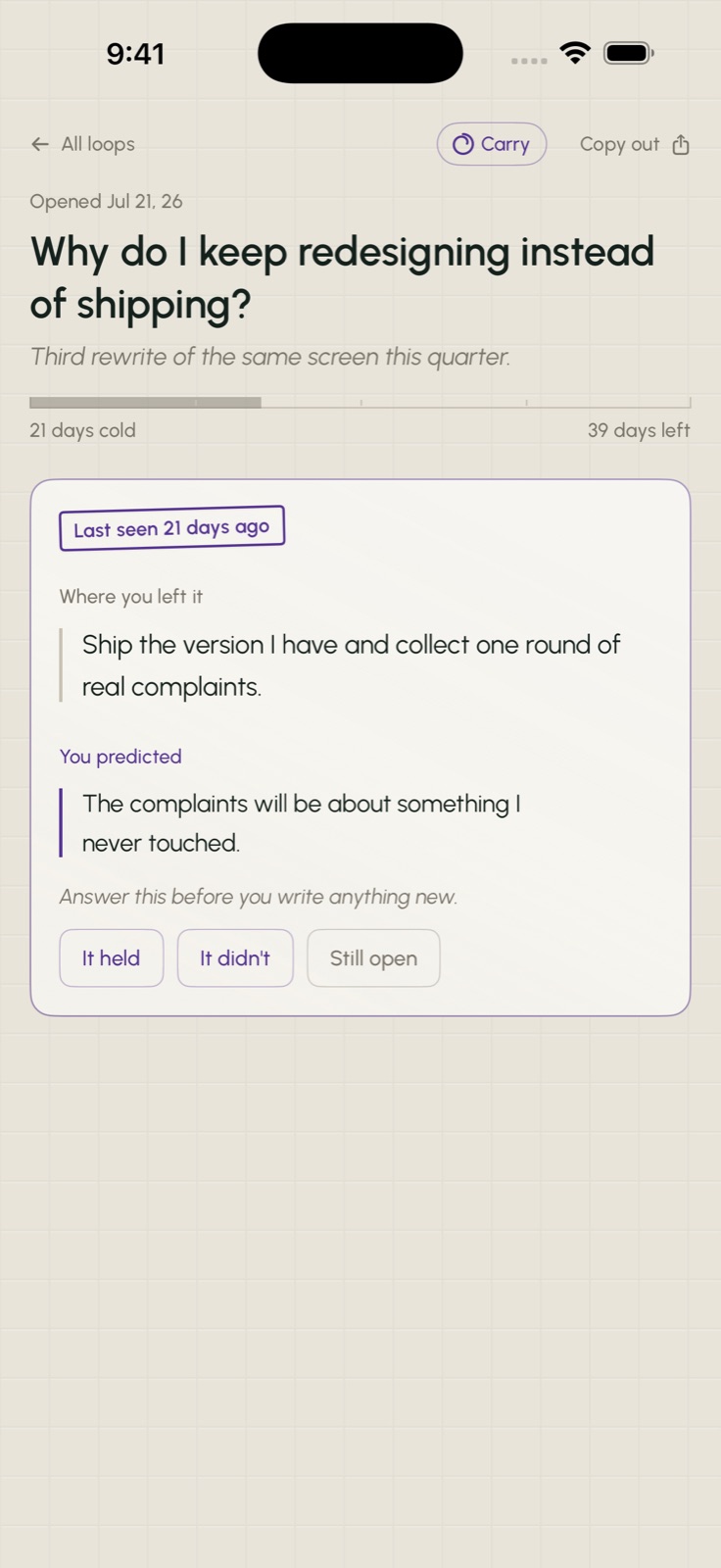
- Answer for it when you come back. Open a loop you’ve left for a week or more and you can’t write right away. First you see how many days it’s been, the last thing you wrote, and your open prediction, with three choices: it held, it didn’t, or still open. Then you can write.
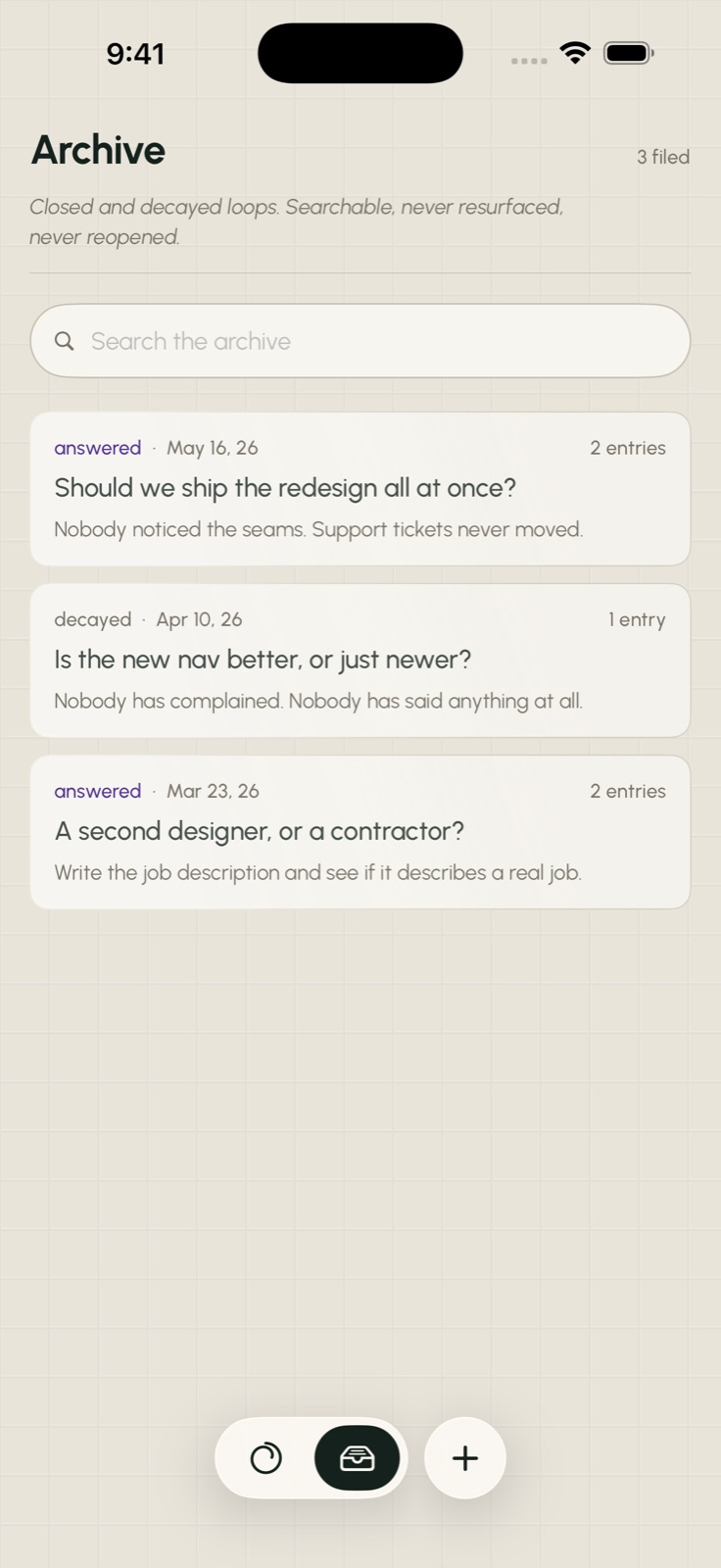
- Let things go. Every card has a meter and fades as it goes cold. After 60 days it archives itself without asking. The archive is read-only on purpose. Starting fresh is cheaper than maintaining, and rewriting helps you remember.
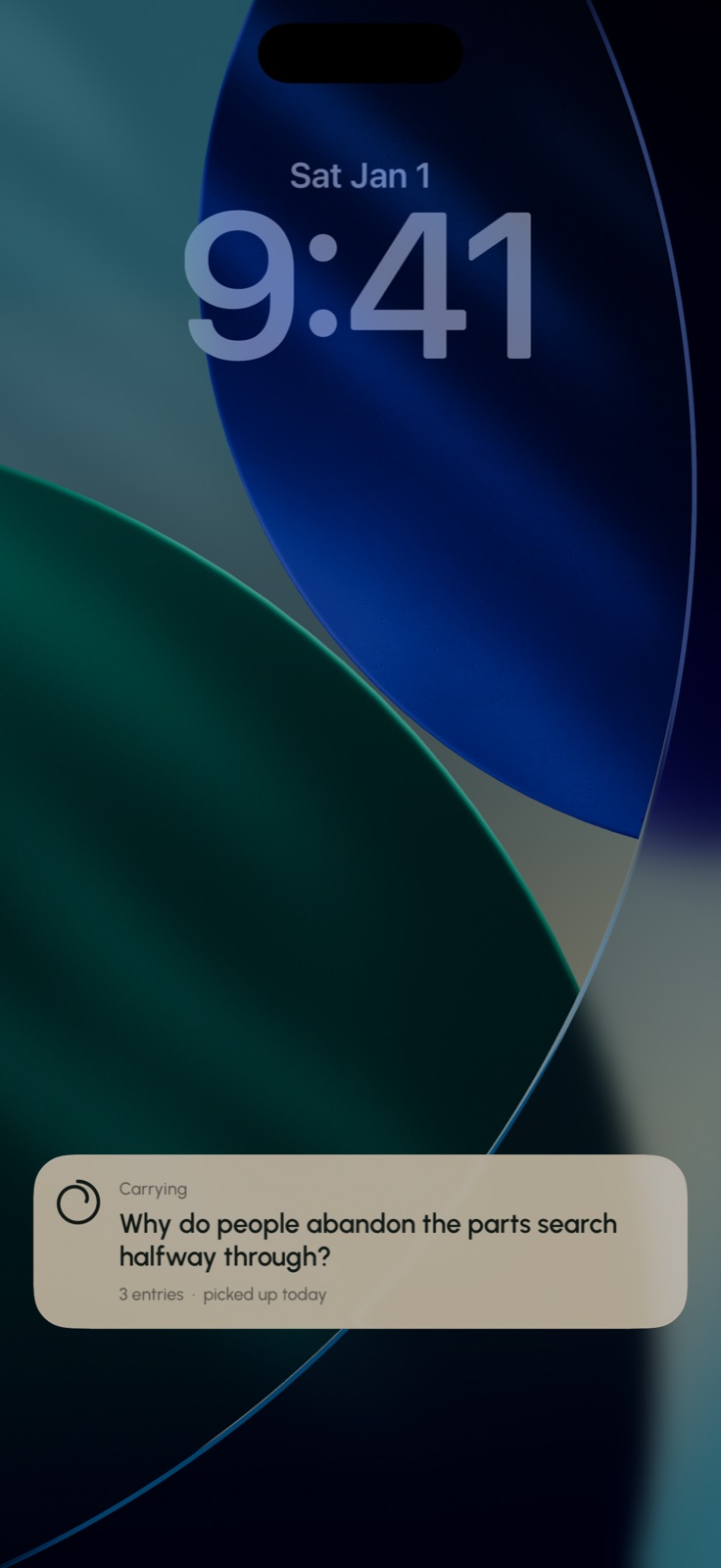
- Carry one question. Put a loop in your pocket and it shows up on the Lock Screen and in the Dynamic Island while you’re thinking about it. Nothing is pushed to you. It’s there because you put it there, and you can only carry one.
- Take it with you. Any loop copies out as Markdown, the whole history, into any notes app. Loops doesn’t take imports, but you can always take your thinking out.
Designed like print
The app looks like two-color letterpress on warm cotton paper. A green-black ink for everything you wrote, and a violet second ink only for what the notebook holds you to: your predictions, and the stamp that greets you when you’ve been away. Cards look like trimmed sheets of paper, defined by their edges instead of drop shadows, and the grid is pressed into the paper.
A pressed design only shows up when light hits it from the side, and light on a screen never moves. So in Loops it does. The phone’s tilt sets the light direction for every pressed edge in the app. Lay the phone flat on a desk and the texture disappears, like it would on real paper. It turns off with Reduce Motion, because a screen that shifts when your hand moves is exactly what that setting is for.
There’s one typeface, Urbanist, and nothing is in all caps. The logo is a line that comes all the way around and keeps going instead of closing, like something you came back to and will again. The app icon is generated from the same curve, so the two always match.
What I said, and what shipped
These are my messages from the conversation I built Loops in, word for word, next to what each one became.
-
“also, I want some kind of sample note to start, i don't want people jumping into a blank canvas”
What shipped: Loops opens with one real loop already in progress, so you start by continuing a thought.
-
“the other thing about notes apps is that they dont connect well with other apps. I'd like a way to copy a whole note with the proper context into another note app”
What shipped: Any loop copies out as Markdown, with its whole history.
-
“can there be settings that you just feel??”
What shipped: Loops has almost no settings screen. The preferences are in how it behaves.
-
“i dont like how the back button flys out from the right side, it doesn't make sense.”
What shipped: The back button moved into the page, so it settles with the sheet instead of sliding in from the edge.
-
“I want this section to be more obvious that it's the main writing area.”
What shipped: The writing area stays front and center, pinned above the keyboard while you type.
What it won’t do
No AI. No suggested connections. No daily review. No streaks. No notifications. No account and no analytics. Everything stays on your phone unless you turn on iCloud sync, which is off by default and goes to your own iCloud.